The game never shipped a graphics menu, a difficulty director or an accessibility pass. These two BepInEx plugins are that missing control room — and this manual walks you through binding them to your copy, step by step.
The rite, in short
Four movements. Each has its own chapter with screenshots of exactly what your folders should look like. If you have modded a Unity game before, the whole thing takes about five minutes; if you never have, follow the chapters in order and you cannot go wrong.
Install BepInEx 5 (x86) into the game folder — the loader every plugin rides on. lus.exe is a 32-bit executable, so the x86 build is mandatory.
Coverage base game + every DLC, discovered by reflection
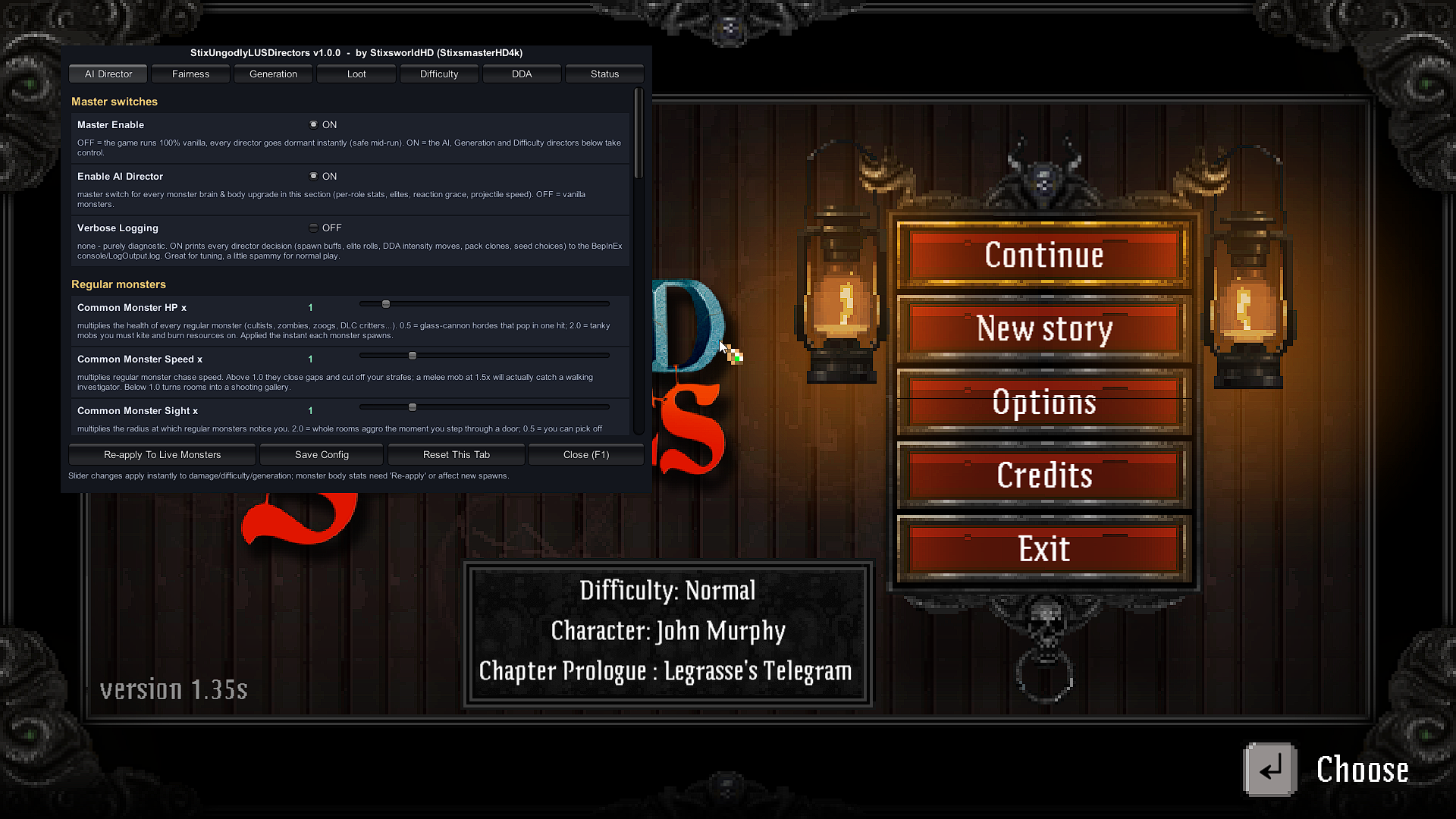
Three fully-implemented directors watching every run: per-role monster shaping with optional crimson-tinted Elites; Fair Attack Slots that gate all 26 attack behaviours in the game code so hordes surround you without becoming unreadable; seed control, zone sizing and merge-all monster variety; anti-spike caps, mercy rules and a DDA brain whose thinking is displayed live in the Status tab.
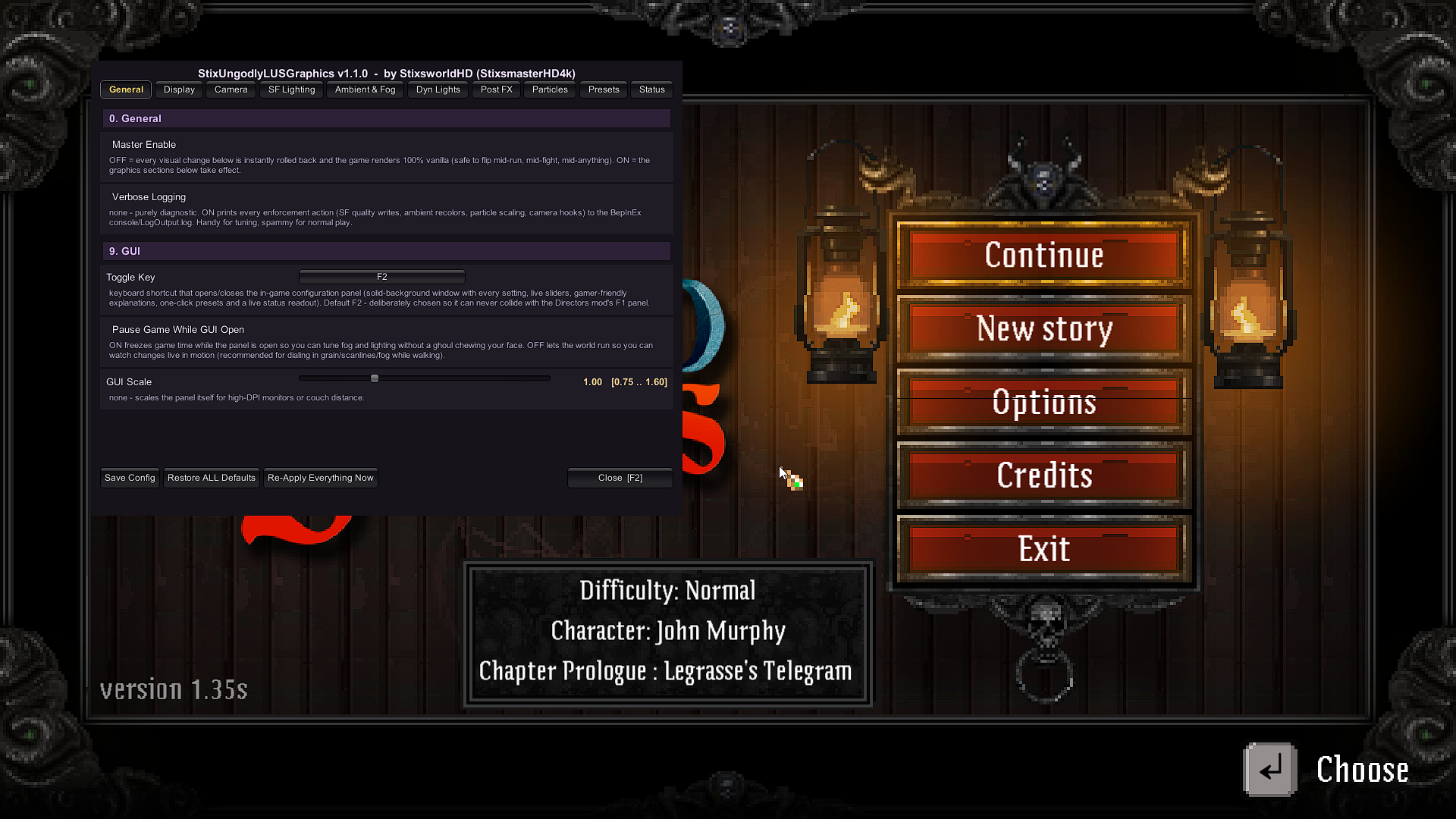
The complete graphics control panel, verified line-by-line against a full decompilation of the shipped build: breaks the hardcoded 60 FPS lock, sharpens the signature 2D soft-shadow lighting, wakes the dormant volumetric-style fog layer the developers shipped but never enabled, unlocks the hidden normal-map lighting, and adds grading, grain, scanlines and letterbox — with 7 one-click presets.
BepInEx is the standard open-source plugin loader for Unity games. It ships as a small set of files you drop into the game folder; a proxy DLL named winhttp.dll loads with the game, boots the framework, and the framework then loads any plugin DLLs it finds in BepInEx\plugins\. Nothing in the game's own files is modified, which is why removing BepInEx later returns the game to a factory-fresh state.
BepInEx builds are architecture-specific. Lovecraft's Untold Stories's executable, lus.exe, is 32-bit — so you need the win_x86 build of BepInEx 5. The x64 build will sit in the folder doing absolutely nothing, which is the single most common install mistake. Chapter I covers it in detail.
What a finished install looks like
Two panels, summoned over the main menu. Click either image to inspect it at its original 1920×1080.
⊕ 1920×1080Directors panel — F1. StixUngodlyLUSDirectors v1.0.0 on F1: tabs for AI Director, Fairness, Generation, Loot, Difficulty, DDA and Status. Every slider prints its range and a plain-English gameplay explanation.⊕ 1920×1080Graphics panel — F2. StixUngodlyLUSGraphics v1.1.0 on F2: ten tabs from Display to Presets. The toggle key can be rebound right on this General tab.
The full set of reference screenshots — including every folder at every stage — lives in Chapter VI, the Evidence.