An Investigator’s Field Manual for Lovecraft's Untold Stories

StixUngodlyLUS

BepInEx 5 (x86) · Directors v1.0.0 · Graphics v1.1.0 · by StixsworldHD (StixsmasterHD4k)

Chapter VI — The Evidence

Screenshot Gallery

Photographic evidence of a correct install, end to end — every folder at every stage, then both panels alive over the main menu. Click any image to open it at its original 1920×1080; inside the viewer, the 1:1 button (or a click on the image) toggles true pixel size, and the daggers or your arrow keys walk the whole set.

Exhibit A — folder anatomy

Four Explorer views tracing the install from the game root down to the plugin DLLs. Compare against your own folders line by line; the timestamps even tell the story — loader files from the BepInEx release, configs freshly generated on first launch with the mods.
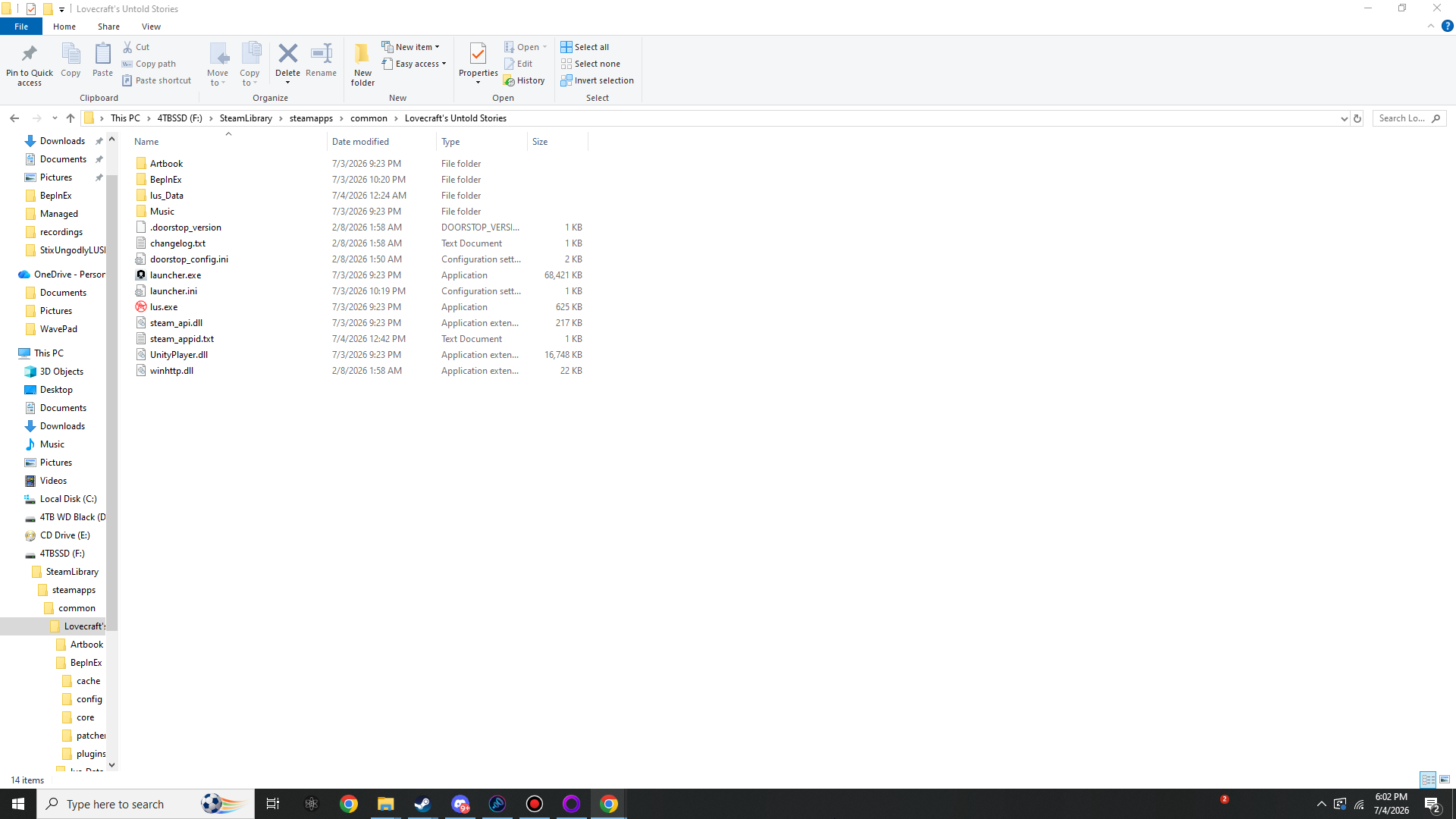
Windows Explorer showing the Lovecraft's Untold Stories folder containing the BepInEx folder, winhttp.dll, doorstop_config.ini, lus.exe and launcher.exe
Game folder after a full install. The game root on a finished install: the BepInEx folder plus winhttp.dll, doorstop_config.ini, .doorstop_version and changelog.txt sit directly beside lus.exe.
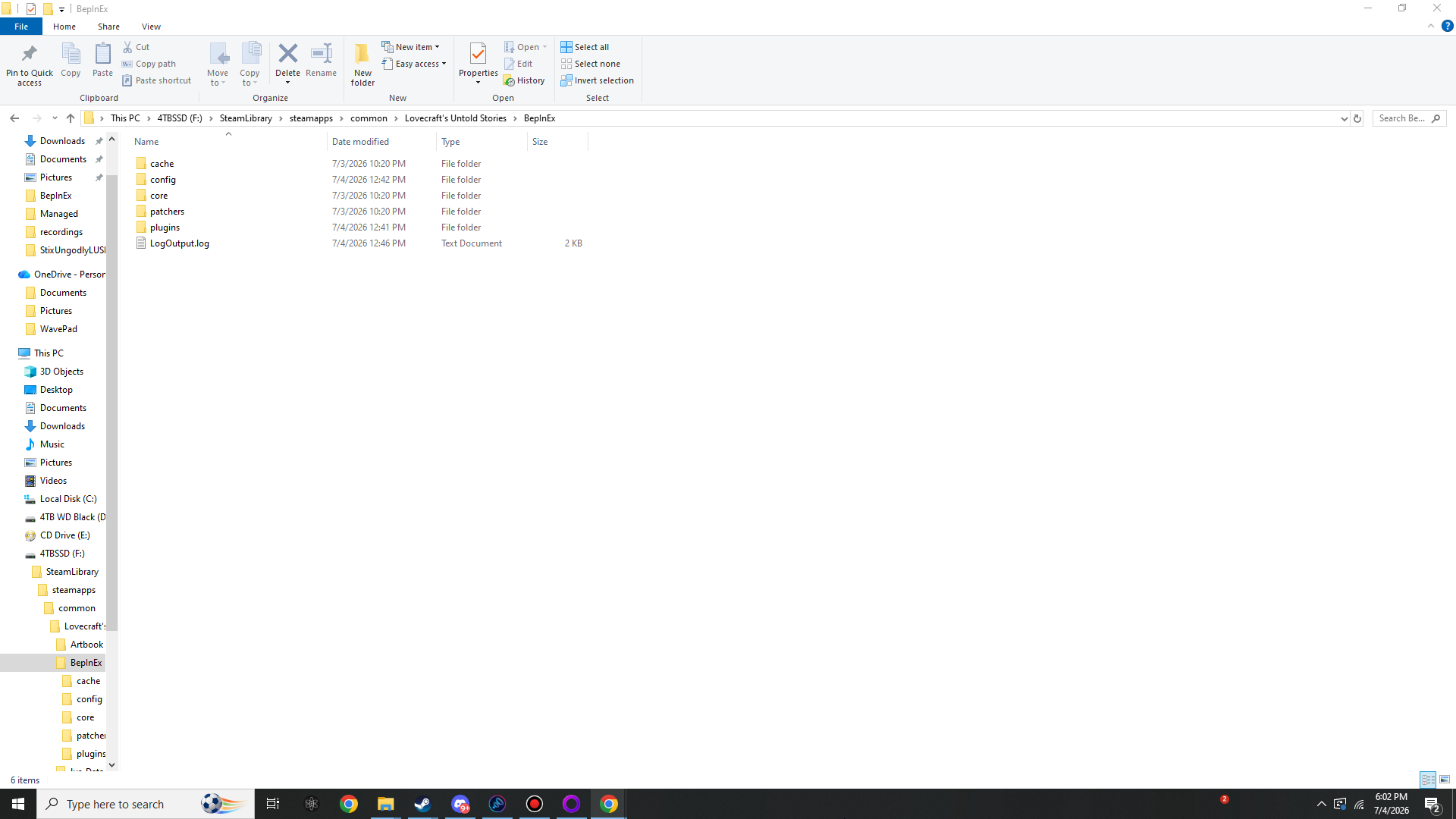
Windows Explorer showing the BepInEx folder with cache, config, core, patchers and plugins subfolders plus LogOutput.log
Inside the BepInEx folder. After the first launch, BepInEx\ contains cache, config, core, patchers, plugins and a fresh LogOutput.log.
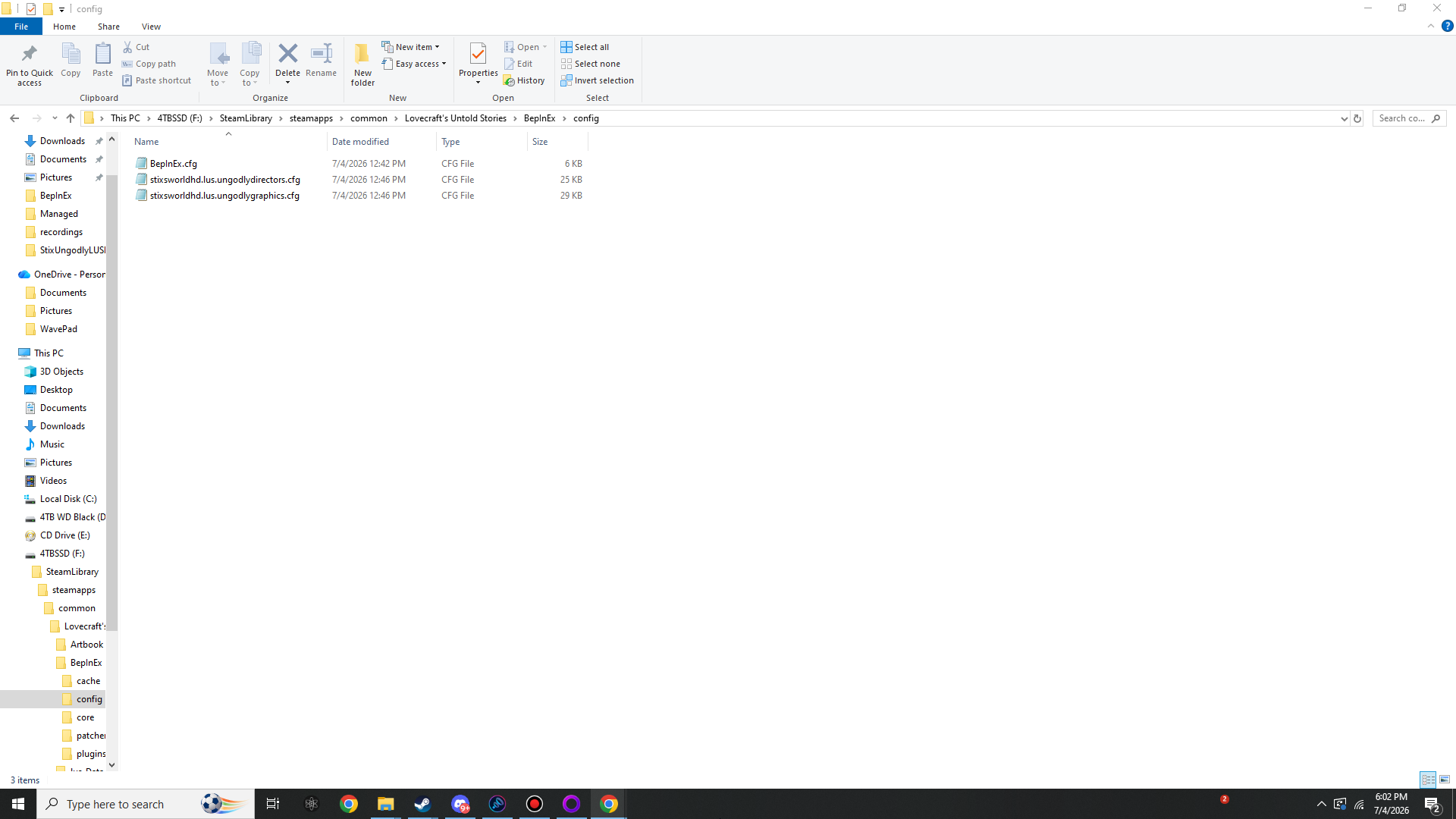
Windows Explorer showing BepInEx config folder with BepInEx.cfg and the two Stix mod config files
The three config files. BepInEx\config\ after one launch with both mods installed: BepInEx.cfg, stixsworldhd.lus.ungodlydirectors.cfg (≈25 KB) and stixsworldhd.lus.ungodlygraphics.cfg (≈29 KB).
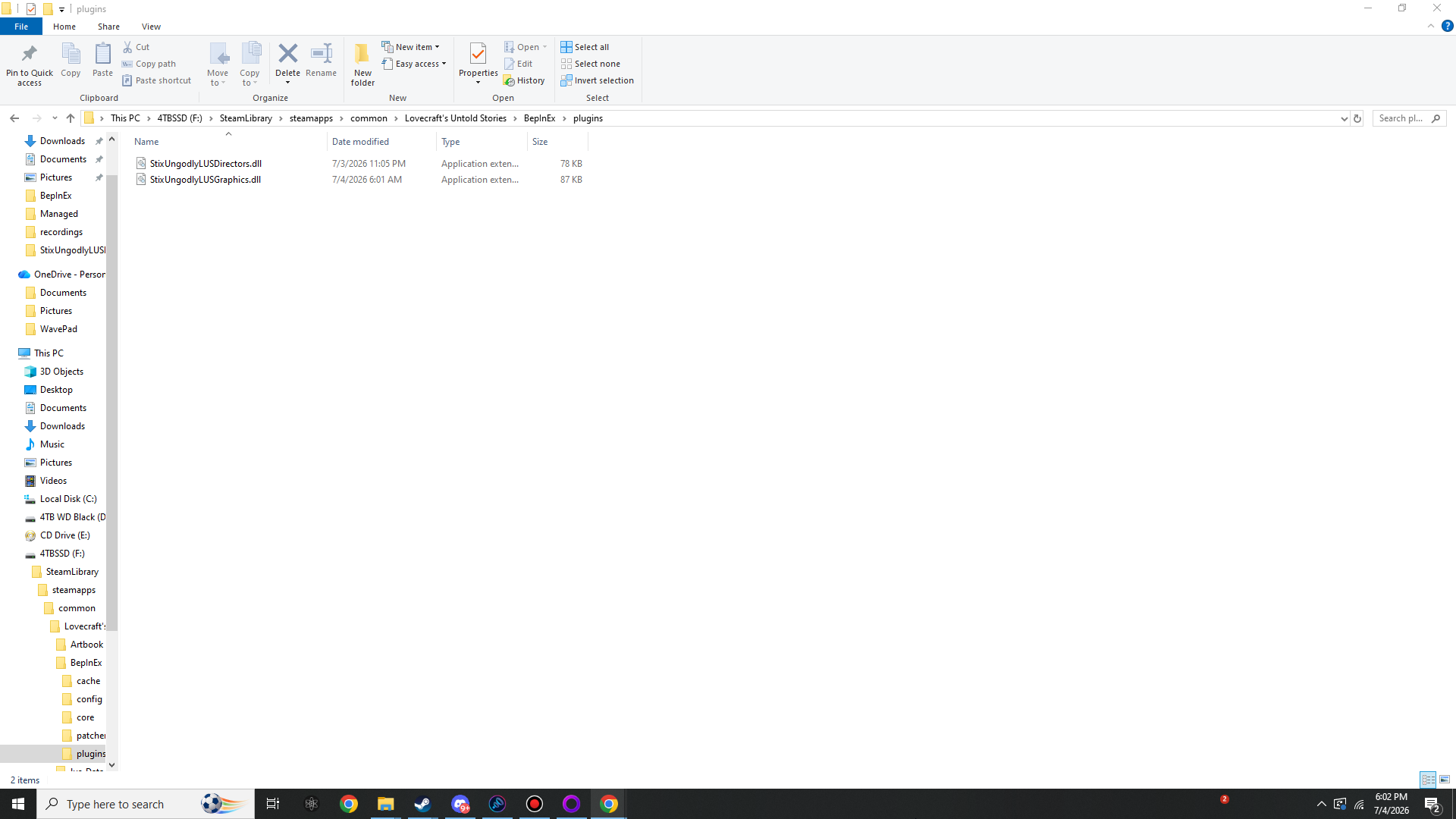
Windows Explorer showing BepInEx plugins folder containing StixUngodlyLUSDirectors.dll and StixUngodlyLUSGraphics.dll
Both plugin DLLs in place. BepInEx\plugins\ holding StixUngodlyLUSDirectors.dll (78 KB) and StixUngodlyLUSGraphics.dll (87 KB). This is the entire mod install.

Exhibit B — the panels, summoned

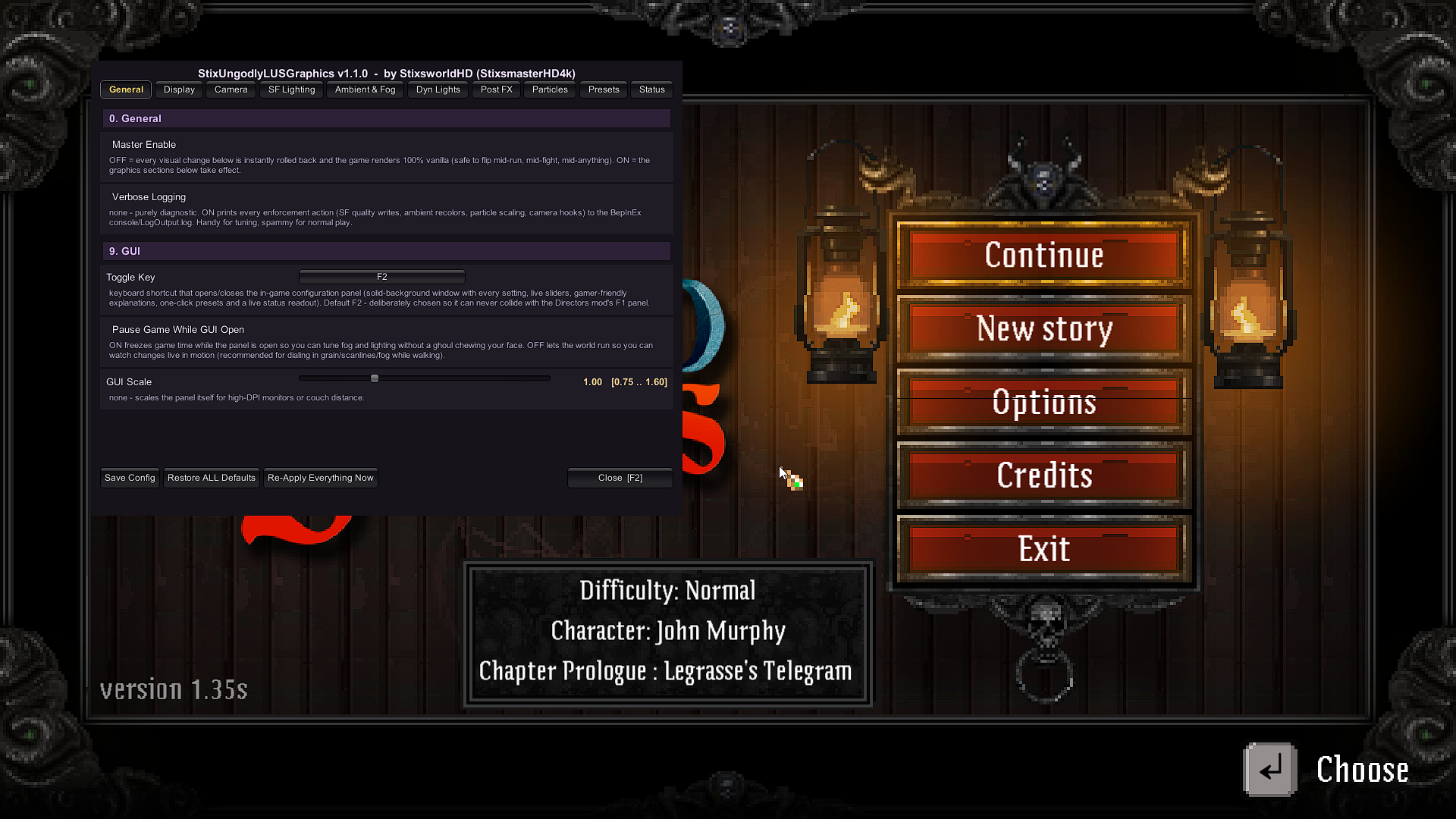
Both panels opened over the main menu of game version 1.35s. Note the solid, opaque windows, the per-slider range readouts and plain-English explanations, and the version + author line across the top of each: by StixsworldHD (StixsmasterHD4k).
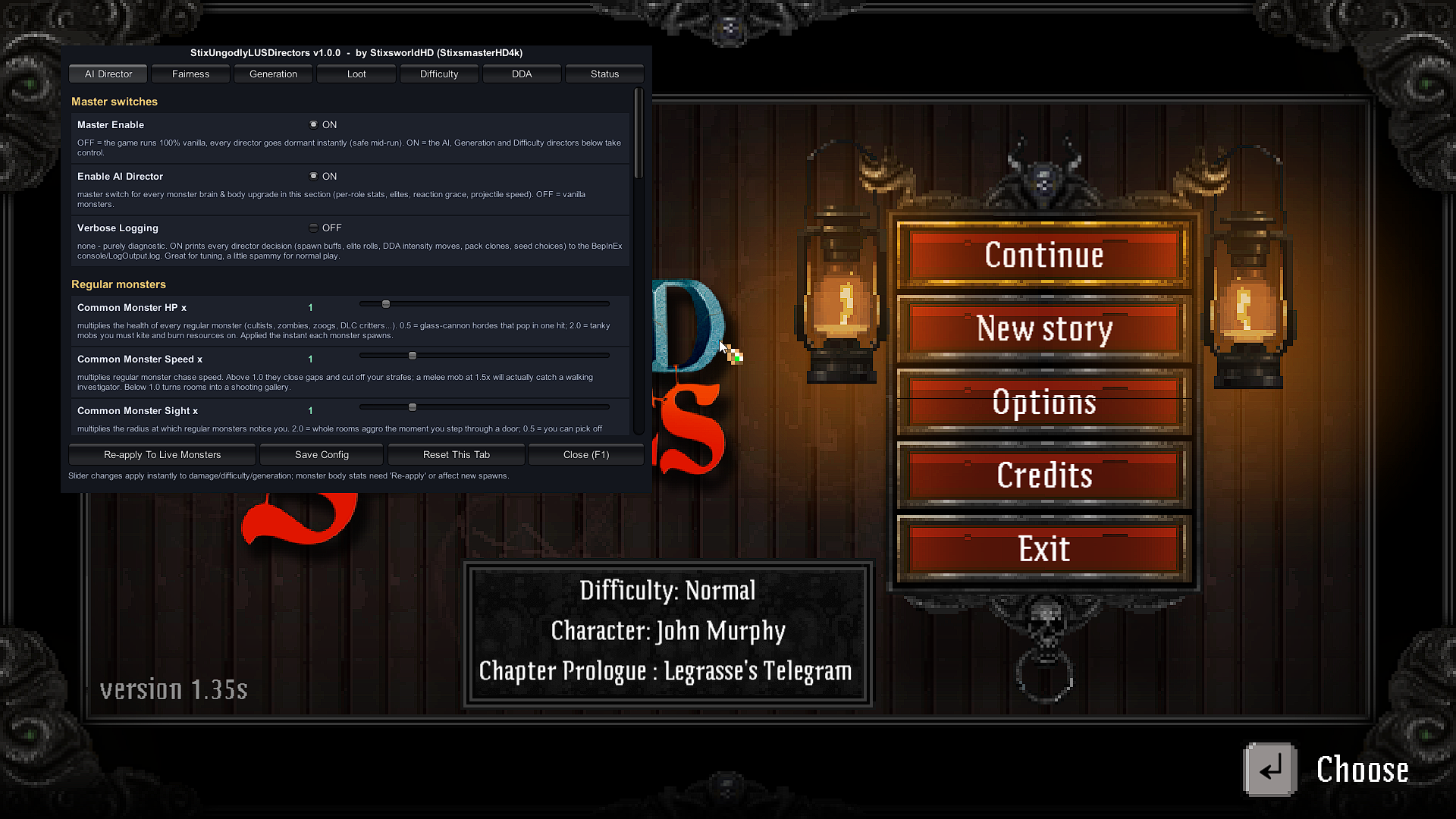
StixUngodlyLUSDirectors v1.0.0 in-game panel open over the main menu, showing the AI Director tab with Master switches and Regular monsters sliders
Directors panel — F1. StixUngodlyLUSDirectors v1.0.0 on F1: tabs for AI Director, Fairness, Generation, Loot, Difficulty, DDA and Status. Every slider prints its range and a plain-English gameplay explanation.
StixUngodlyLUSGraphics v1.1.0 in-game panel open over the main menu, showing the General tab with Master Enable, Verbose Logging and GUI options
Graphics panel — F2. StixUngodlyLUSGraphics v1.1.0 on F2: ten tabs from Display to Presets. The toggle key can be rebound right on this General tab.