Chapter IV — The Grimoires
Config Files & In-Game Panels
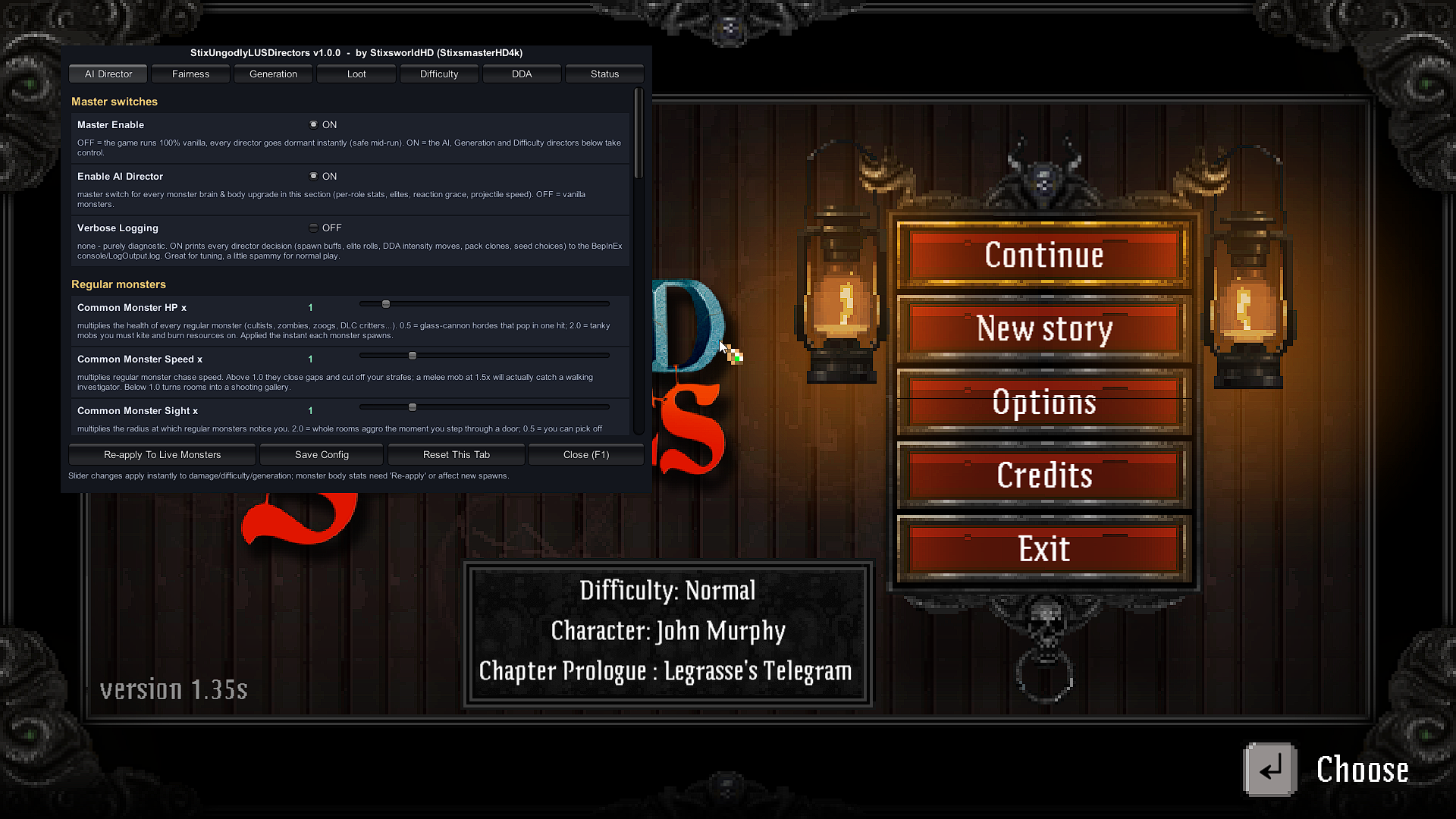
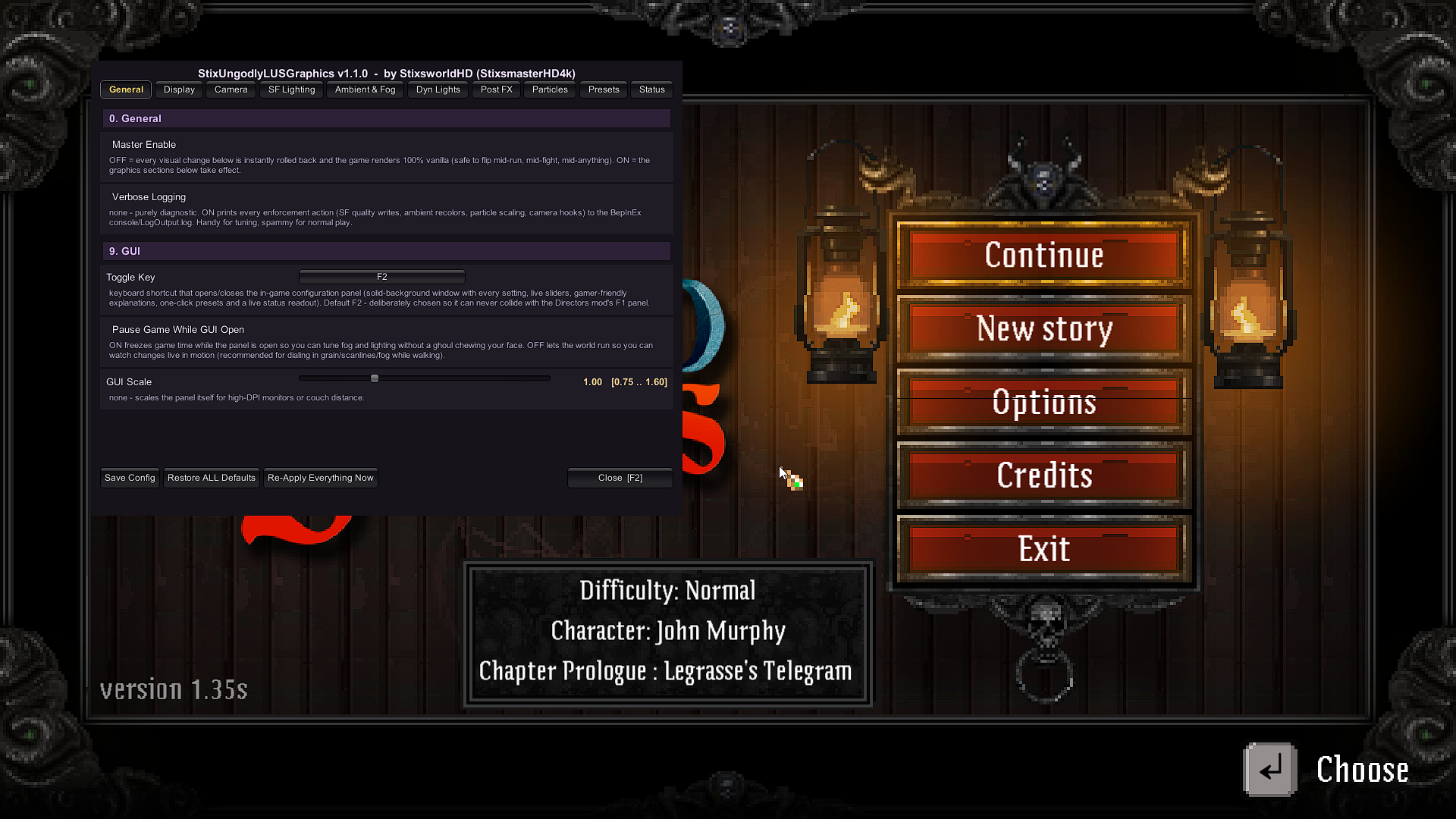
Every dial in both plugins lives in two places at once: a heavily documented config file on disk, and a live in-game panel. Change either — they are the same book. This chapter is the librarian's tour: where the grimoires are shelved, how to write in them safely, and how the two panels share one game.
Where the config files live
Both plugins follow the BepInEx convention: configs are generated on the first launch with the plugin installed, into BepInEx\config\. After Chapters I–III your folder holds exactly three files:
BepInEx\config\
├── BepInEx.cfg                              ← the loader's own settings — leave as-is
├── stixsworldhd.lus.ungodlydirectors.cfg    ← Directors: 79 settings, 10 sections (≈25 KB)
└── stixsworldhd.lus.ungodlygraphics.cfg     ← Graphics: 61 settings, 10 sections (≈29 KB)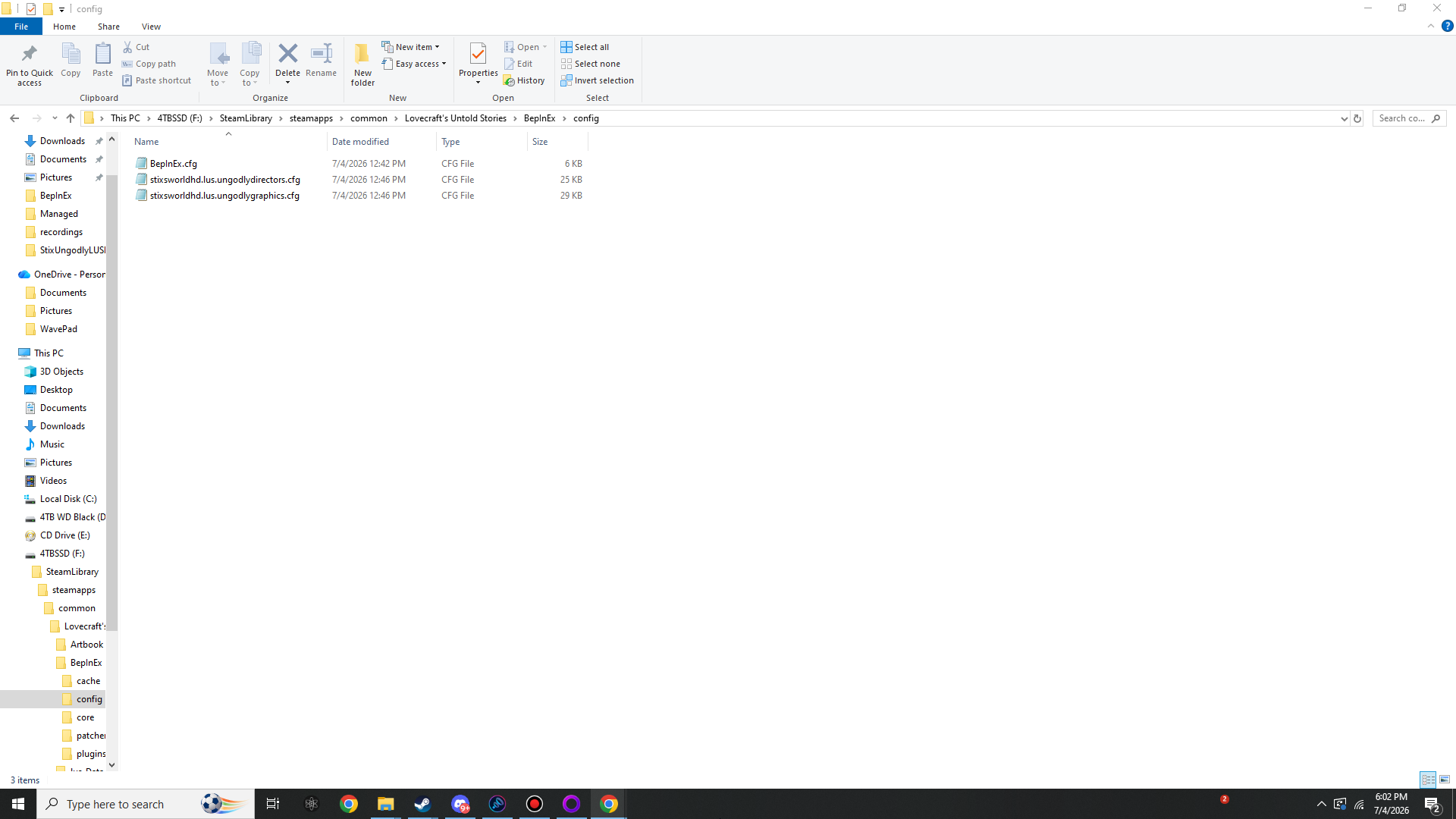
BepInEx\config\ after one launch with both mods installed: BepInEx.cfg, stixsworldhd.lus.ungodlydirectors.cfg (≈25 KB) and stixsworldhd.lus.ungodlygraphics.cfg (≈29 KB).Reading and editing the grimoires
The files are plain text — Notepad is enough. Every single setting is written the same way: its current value, its Min / Max bounds, and a GAMEPLAY: line describing the real in-game effect in plain English. You never have to guess what a number does.
- Edit with the game closed if you edit by hand. Both plugins read the file at launch; hand-edits made while the game runs are overwritten the next time the panel saves.
- Or skip hand-editing entirely: every setting is also a slider or toggle in-game. The panel is the same file with a face.
- Ships pure vanilla. Fresh configs contain factory defaults — Directors: every multiplier ×1.0, Elites off, fairness ON with gentle defaults, DDA ON in mostly-assist mode. Graphics: everything ×1.0 / 100%, fog off, post FX off, hidden features off, FPS Cap 60. Installing the mods changes nothing until you turn a dial.
- Factory reset: delete a plugin's .cfg and launch — it regenerates with defaults. (Gentler options below.)
The two panels, side by side
| Directors | Graphics | |
|---|---|---|
| Toggle key | F1 | F2 — deliberately chosen so it can never collide with F1 |
| Rebind how | Toggle Key entry in stixsworldhd.lus.ungodlydirectors.cfg | Toggle Key in the cfg, or right on the General tab: click the key button, press any key, Esc cancels |
| Tabs | AI Director / Fairness / Generation / Loot / Difficulty / DDA / Status | General / Display / Camera / SF Lighting / Ambient & Fog / Dyn Lights / Post FX / Particles / Presets / Status |
| Apply timing | Damage / difficulty / DDA / fairness / generation: instant. Monster body stats: all new spawns instantly; Re-apply To Live Monsters pushes them onto the current room | Everything instant, live, mid-run |
| Pause while open | Default ON | Default ON — turn OFF to watch fog and grain in motion while you walk |
| Saving | Save Config writes to disk on demand; closing the panel auto-saves. Sliders also show value + allowed range + a plain-English explanation, on both panels. | |
| Reset options | Reset This Tab per tab | Restore ALL Defaults, or the Pure Vanilla preset |
| Master Enable OFF | Every director goes dormant instantly — safe mid-run | Every visual change instantly rolled back to 100% vanilla — safe mid-run, mid-fight, mid-anything |
| GUI extras | Status tab: live telemetry — tracked monsters, attack slots in use, DDA intensity bar and multipliers | GUI Scale 0.75–1.60 for high-DPI or couch distance; Status tab: FPS/frame-time, map pixel sizes, fog state, vignette ownership, patch count and more |
Running both mods together
They were built for it — the Graphics README calls itself the companion to Directors, and the pairing is verified, not hoped-for:
- Zero shared Harmony patch targets. Directors patches the enemy, generation and damage pipeline; Graphics patches only rendering, camera and graphics-settings methods.
- Separate keys, separate configs, separate logs lines. Nothing overlaps.
- Gameplay synergy is intentional: Directors' pack-size hordes and Graphics' Particle Density / attack readability all coexist untouched.
Verbose Logging (both plugins)
Each General tab carries a Verbose Logging switch. It is purely diagnostic: ON prints every enforcement action — Directors: spawn buffs, elite rolls, DDA moves, pack clones, seed choices; Graphics: SF quality writes, ambient recolours, particle scaling, camera hooks — to the BepInEx console and BepInEx\LogOutput.log. Handy for tuning, spammy for normal play. Leave it OFF unless you are investigating something.